





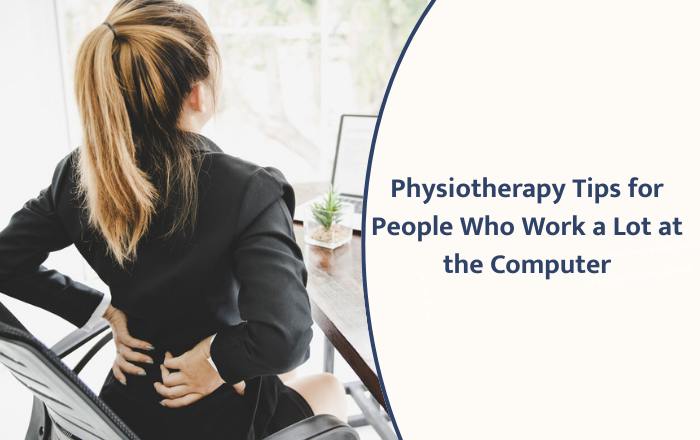
Spending long hours at a computer has become a daily routine for many people. While this helps you get work done, it can also lead to stiff muscles, neck pain, shoulder tightness, and wrist discomfort. The good news is that small daily habits can protect your body and keep you comfortable. In this blog, you’ll find simple and effective physiotherapy tips for people who work a lot at the computer that you can start using right away.
Why Computer Work Affects Your Body
When you sit at a computer for long periods, your body stays in one position for too long. Your neck leans forward, your shoulders round, your eyes strain, and your wrists stay bent. Over time, these positions can create muscle imbalance and pain. Physiotherapists often call this “desk posture stress.”
The key is not to stop working but to add small movements and better posture to your routine.
1. Set Up Your Workstation Correctly
A good setup reduces strain on your neck, shoulders, and lower back.
a. Keep your screen at eye level
If the screen is too low, you bend your neck forward. Raise your monitor using a stand or even a stack of books. Your eyes should naturally meet the top part of the screen.
b. Adjust your chair height
Keep your feet flat on the floor. Your knees should form a 90-degree angle. This keeps your lower back supported and reduces pressure on your hips.
c. Use a chair with good back support
Choose a chair that supports the natural curve of your spine. If needed, roll a small towel and place it behind your lower back.
d. Keep your keyboard close
Your elbows should stay near your body. If your keyboard is too far away, you will lean forward, which strains your upper back.
2. Follow the 20-20-20 Rule for Eye Relaxation
Staring at a screen for hours can cause eye strain, headaches, and dryness. A simple physiotherapy-approved method is the 20-20-20 rule:
-
Every 20 minutes
-
Look at something 20 feet away
-
For at least 20 seconds
This helps your eye muscles relax and reduces overall fatigue.
3. Practice Shoulder Blade Squeezes
When you sit for a long time, your shoulders slowly roll forward. This causes upper back pain and neck tension. Shoulder blade squeezes help reset your posture.
How to do it:
Sit tall and gently pull your shoulder blades toward each other. Hold for 5 seconds and relax. Repeat 10 times.
Do this 3–4 times a day.
4. Stretch Your Neck Regularly
Neck stiffness is one of the most common complaints among computer users. These easy stretches loosen tight muscles:
Side neck stretch
Tilt your head gently toward one shoulder until you feel a stretch on the opposite side. Hold for 15–20 seconds. Switch sides.
Forward neck stretch
Lower your chin slowly toward your chest. Feel the stretch along the back of your neck. Hold for 15 seconds.
Repeat these stretches 2–3 times during the day.
5. Wrist and Forearm Exercises
Typing and using the mouse for long hours can cause wrist pain or tingling.
Wrist flexor stretch
Extend one arm forward with your palm up. Use your other hand to gently bend your wrist down. Hold for 15–20 seconds.
Wrist extensor stretch
Extend your arm with your palm facing down. Gently pull your hand toward you until you feel a stretch.
Do each stretch twice on both sides.
6. Take a 2-Minute Movement Break Every Hour
Movement is the best physiotherapy advice for desk workers. You don’t need a long workout—just stand, walk, or stretch for 1–2 minutes every hour.
Try these simple moves:
-
Stand and roll your shoulders backward
-
Stretch your arms overhead
-
Walk to refill your water bottle
-
Gently twist your spine left and right
These micro-breaks increase blood flow and improve focus.
7. Strengthen Your Core Muscles
A strong core supports your back and helps you avoid slouching. You don’t need gym equipment. Try these simple exercises:
a. Seated tummy tightening
Sit tall. Gently tighten the muscles around your stomach for 10 seconds and relax. Repeat 10 times.
b. Basic plank (if possible)
Hold a plank position for 15–20 seconds. This strengthens your abdominal and back muscles.
Doing these a few times a week improves posture over time.
8. Stretch Your Hip Flexors
Sitting for long hours shortens the muscles in the front of your hips. This can pull your lower back forward and cause pain.
Hip flexor stretch
Stand and take one foot back like a small lunge. Gently push your hips forward until you feel a stretch in the front of your hip. Hold for 20 seconds on each side.
This counteracts the effects of long sitting.
9. Try the Chin Tuck Exercise
This simple physiotherapy exercise helps reduce forward head posture.
How to do it:
Sit or stand tall. Pull your chin gently backward (as if making a double chin). Hold for 5 seconds. Repeat 10 times.
This strengthens the deep neck muscles.
10. Use a Footrest if Needed
If your feet don’t touch the floor comfortably, use a footrest. This reduces strain on your lower back and improves circulation.
FAQs
1. Why do I feel neck and shoulder pain after working on my computer?
Long hours at the computer often cause your neck to lean forward and your shoulders to round. This position puts pressure on your upper back muscles, leading to stiffness and pain.
2. How often should I take breaks while working?
A short break every hour is helpful. Even a 1–2 minute walk or stretch can relax your muscles and reduce strain.
3. What is the easiest exercise I can do at my desk?
Shoulder blade squeezes are simple and effective. Sit tall and gently pull your shoulder blades together for 5 seconds. Repeat 10 times.
4. Can my sitting posture affect my lower back?
Yes. Sitting in a slouched position or with your chair too high or low can strain your lower back. Keeping your feet flat and your spine supported helps a lot.
Conclusion
Small daily habits can keep you comfortable during long computer hours. Adjust your workstation, take short breaks, and do simple stretches to prevent pain. Following these physiotherapy tips for computer users helps protect your body and stay productive.
If pain persists, consult a physiotherapist. Dr. Ranjeet Ghatge – Best Physiotherapist in Magarpatta can help improve your posture and manage work-related discomfort.